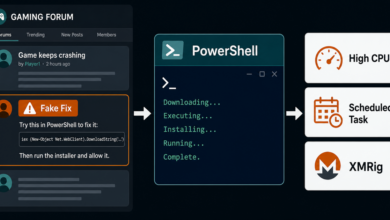
Elastic Security Labs has detailed REF6045, a Mexico-focused banking fraud operation that turns a familiar fake CAPTCHA trick into a hands-on bank-transfer hijack. The delivery looks like a ClickFix page: solve a verification prompt, open Windows Run, and paste a command. The result is not verification. It installs a PowerShell toolkit Elastic calls SCMBANKER.
The story is worth separating from generic fake CAPTCHA noise because the payload is built around live financial abuse. After infection, the operator can watch for banking sessions, show fake warning overlays, redirect the browser, push the victim into a phone call, install Remote Utilities for hands-on access, or replace copied account numbers before a transfer is completed.
Takeaway
If a CAPTCHA, bank page, download site, or “security check” asks you to press Windows+R, open PowerShell, or paste a command, close it. Real CAPTCHA verification does not need system commands. That rule also applies to fake verification pages like the campaigns behind JokerStat fake CAPTCHA pages and fake Google and Cloudflare checks pushing stealers.
How SCMBANKER Gets In
Elastic says the exposed infrastructure included a fake CAPTCHA flow that used Spanish-language verification text and then moved victims to the Windows Run step. The observed command fetched a file named validation.txt, even though Elastic says the file behaved as a Windows batch script rather than harmless text.
Concrete identifiers from the public report include REF6045, SCMBANKER, validation.txt, 68.211.161[.]46, ssinvestigaciones[.]com/login3.php, ratonvaquero2026[.]online, and monteviral2026.duckdns[.]org. Those details matter because they show this is not just a vague “be careful with links” warning; it is a working fraud chain with delivery hosts, tracking, and a toolkit.
What Happens After the Command
The installer uses a fake Windows Update screen as cover, tries to obtain administrator approval, downloads components with bitsadmin, and places files under C:UsersPublic. Persistence is set through common Windows locations such as a Run key and Startup folder so the toolkit can return after reboot.
The toolkit then supports several fraud modules. Elastic described monitoring for banking-related window titles, taking screenshots, logging keystrokes, displaying vishing overlays, redirecting the browser to phishing pages, and using clipboard hijacking for CLABE account numbers and card numbers. In plain language: a victim may copy the correct destination account, but the malware can replace it before the transfer form is submitted.
Quick Check
- A web page asks you to run a command to prove you are human: treat it as malicious.
- A fake update screen appears right after a CAPTCHA or download step: disconnect and inspect the device before banking.
- A bank transfer account number changes after paste: stop the transfer and call the bank using a saved number or the number printed on the card.
- Remote Utilities or another remote-access tool appears unexpectedly: assume hands-on access may have occurred.
What To Do If You Ran It
Disconnect from the network, do not log in to banking or crypto accounts from that device, and contact the affected financial institution from a clean phone or computer. Review pending transfers, reset passwords from a clean device, and check Windows startup locations and installed remote-access tools. If browser pop-ups, notification prompts, or redirects remain after cleanup, use the browser notification scam removal guide to remove abusive browser permissions too.
This campaign is Mexico-focused, but the user-safety lesson is broader. The same copy-paste command pattern keeps appearing in fake browser updates, fake CAPTCHA pages, and download lures, including earlier DriveSurge ClickFix-style fake update pages. The safest habit is simple: verification should stay inside the browser.
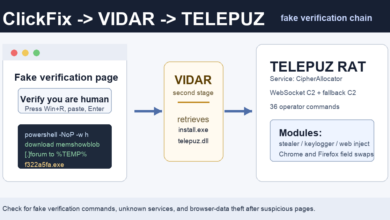
Related banking-risk note: Browser-abuse payloads can also target payment forms. Elastic described TELEPUZ modules that can interact with Chrome and Firefox for web-inject behavior; see the TELEPUZ ClickFix analysis.
References