Security researchers have documented a fake CAPTCHA campaign that does not ask users to allow browser notifications or install an app. Instead, it tries to make a mobile phone send many international SMS messages, which can later appear as unexpected charges on the phone bill.
The research is useful for Adware Guru readers because the entry point looks familiar: a redirect chain, a fake verification page, and pressure to complete a simple task. The important difference is the requested action. A real CAPTCHA stays inside the browser. This scam opens the phone’s SMS app and prepares messages to numbers chosen by the attacker.
What happened
Infoblox Threat Intel reported on April 23, 2026 that it had analyzed a long-running international revenue share fraud campaign using fake CAPTCHA pages. Malwarebytes covered the same research on April 28, 2026 for consumer readers.
In an observed March 2026 path, a victim landed on a lookalike telecom domain and was redirected through traffic distribution infrastructure before reaching a fake CAPTCHA page. Infoblox listed domains in that chain including colnsdital[.]com, hotnow[.]sweeffg[.]online, zawsterris[.]com, d[.]ruelomamuy[.]com, and megaplaylive[.]com.
The fake CAPTCHA asked simple questions such as device or network choices. When the user tapped through, JavaScript requested phone numbers from the server and opened the SMS app with prefilled messages. In one analyzed flow, four CAPTCHA steps could create 60 SMS messages to international destinations. Infoblox estimated that this could cost about $30 for one victim, depending on the mobile plan and carrier charges.
A newer Android-focused example is fake apps that create premium SMS or carrier-billed subscriptions, where the charge starts from an installed app rather than a browser page.
Why this matters for pop-up and redirect victims
Many browser scams use the same first act: a malicious ad, a compromised page, a fake video, or a fake CAPTCHA. Some variants ask users to click Allow and then abuse browser notifications. Others show scareware pop-ups or fake download prompts. This campaign shows another outcome: the page may try to move the victim from the browser into the phone’s SMS app.
If your problem is notification spam after clicking Allow, start with the Browser Notification Scam Removal Guide. If you are trying to identify a suspicious pop-up or redirect domain, the Pop-up Ads and Browser Notifications hub collects related cleanup guides. A typical fake CAPTCHA notification lure, such as Captcha-mode.top, is different from the SMS scam because it abuses browser notification permission rather than international texting.
Warning signs to check
The clearest warning sign is any CAPTCHA that asks you to send a text message, open Messages, dial a number, paste a command, install a browser extension, or leave the browser to prove you are human. Legitimate CAPTCHA checks do not need international SMS messages.
Other red flags include a page that asks for your device type or network before verification, a back button that appears to trap you on the same page, a redirect to gaming or adult-video content after the check, and prefilled SMS recipients with international country codes such as +994, +31, +44, +95, or +20.
What to do if you saw this fake CAPTCHA
If the SMS app opened but you did not send the message, close the message draft and close the browser tab. If the page will not let you go back, force close the browser app and reopen it without restoring the suspicious tab.
If you sent one or more messages, check your mobile bill for international SMS charges. Contact your carrier quickly, explain that the messages were triggered by a web scam, dispute unfamiliar charges where possible, and ask whether international or premium SMS can be blocked if you do not need it.
Also review browser permissions because the same redirect session can include more than one abuse tactic. In Chrome or Microsoft Edge on desktop, open Settings > Privacy and security > Site settings > Notifications and remove unknown domains from the Allow list. In Chrome on Android, open Settings > Site settings > Notifications. In Safari on macOS, use Safari > Settings > Websites > Notifications. If redirects keep returning, check recently installed extensions and apps, then run a malware or adware scan.
Do not overread one redirect domain
A redirect chain can include legitimate infrastructure, ad-tech components, compromised websites, and attacker-controlled landing pages. Seeing a familiar brand, a telecom-themed domain, or a normal-looking ad page does not prove that the brand intentionally ran the scam. The safe conclusion is narrower: do not complete a CAPTCHA that asks for SMS, notification permission, terminal commands, or downloads.
Related fake CAPTCHA command warning
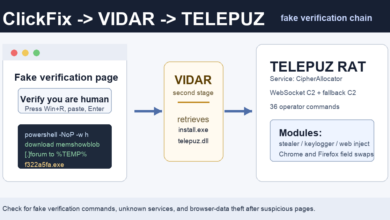
Fake CAPTCHA pages can also use a ClickFix-style lure instead of SMS. In that variation, the page may imitate Cloudflare and ask the visitor to paste a command into Windows Run or PowerShell. See the Adware Guru update on fake Cloudflare CAPTCHA prompts on hijacked Ghost sites.
References
Infoblox Threat Intel: Hold the Phone! International Revenue Share Fraud Driven by Fake CAPTCHAs
Malwarebytes: Fake CAPTCHA scam turns a quick click into a costly phone bill
Google Search Central: Introducing a new spam policy for back button hijacking