Palo Alto Networks Unit 42 published a July 2, 2026 threat-intel note on an active ClickFix campaign that hides behind compromised WordPress sites. The injected script appears as tracker.js and presents itself as “JokerStat Analytics Tracker,” but Unit 42 says it resolves command-and-control infrastructure through the Polygon blockchain, shows a fake CAPTCHA overlay, and prepares a command for the user’s clipboard.
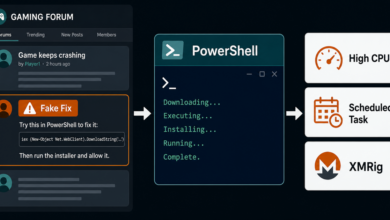
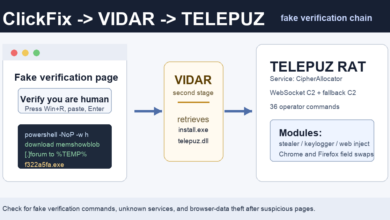
This is not a normal “prove you are human” page. The practical warning sign is the same one seen in other ClickFix attacks: the page tells the visitor to press Win+R, paste from the clipboard, and press Enter. A real CAPTCHA does not need a Windows Run dialog, PowerShell, or pasted commands.
What Unit 42 Found
Unit 42 says the operation abuses compromised WordPress sites to load tracker.js into the delivery chain. After a visitor lands on an affected page, the script performs a blockchain lookup to recover the current C2 server URL, then starts collecting pageview, heartbeat, and screenshot telemetry.
The same script then shows the fake CAPTCHA lure and personalizes clipboard content for the victim. If the user follows the instructions, the first-stage command downloads a second-stage PowerShell script. Unit 42 reports that the final payload is an infostealer written in Ruby and delivered inside a password-protected .7z archive.
Unit 42 also reported that all 15 C2 domains they observed ran a full operator-facing web application using the JokerStat Analytics identity. Public indicators in the report include boodystat[.]click, massstat[.]biz, massstat[.]co, and massstat[.]lol. Treat these as investigation clues, not a complete blocklist, because this setup is designed to rotate infrastructure.
Why Blockchain C2 Matters
The blockchain detail matters because the malicious page does not have to hard-code one fixed command server. Instead, the page can retrieve a current endpoint from data stored through Polygon. That gives the operators a way to update infrastructure while leaving the injected page logic mostly unchanged.
For a home user, the defense does not require understanding blockchain internals. The visible behavior is enough: a website that claims to be a CAPTCHA but asks for keyboard shortcuts and pasted commands is trying to move the attack out of the browser and into the operating system.
How This Differs From Recent ClickFix Lures
Adware Guru recently covered fake Google and Cloudflare verification pages that pushed ResiLoader and stealers. This JokerStat case is similar in the user-facing lure, but the infrastructure is different: compromised WordPress pages, a fake analytics wrapper, blockchain-based C2 lookup, screenshot telemetry, and a Ruby infostealer chain.
It also overlaps with earlier fake CAPTCHA abuse on hijacked sites. If you want the broader pattern, compare this report with the fake Google and Cloudflare verification campaign, the fake Cloudflare CAPTCHA on hijacked Ghost sites, and the DriveSurge fake browser update and ClickFix lures.
What to Check Now
If a site recently asked you to press Win+R, paste a command, or run PowerShell after a CAPTCHA-style prompt, assume the device needs checking. Close the page, do not repeat the command, and review browser history around the time of the prompt for unfamiliar WordPress pages, redirect chains, and downloads.
On Windows, check recent downloads, startup entries, scheduled tasks, and security alerts. If you ran the command, use a clean device to change important passwords, review email and financial account sessions, and check whether browser data, wallet files, or saved credentials may have been exposed.
If the browser also shows unwanted notifications, pop-ups, redirects, or unfamiliar extensions, use the browser notification scam removal guide to remove abusive permissions before resetting affected browser settings.
Quick Check
A CAPTCHA should stay inside the browser. If a web page asks you to open Run, Terminal, PowerShell, or Command Prompt, it is no longer verification. It is an instruction to execute code, and the safest response is to close the page and inspect the device before logging back into sensitive accounts.
Related banking-fraud angle: Fake CAPTCHA pages are also being used in finance-focused ClickFix attacks. Elastic reported SCMBANKER, a PowerShell toolkit that can watch banking sessions and replace copied account numbers; read the SCMBANKER fake CAPTCHA report.
References