A new macOS stealer called ClickLock shows how fake CAPTCHA pages are moving beyond simple copy-paste tricks. The malware is designed to make a Mac feel unusable until the victim types the local login password, then it targets Keychain, browser data, password-manager extension data, crypto wallets, shell history, and FTP credentials.
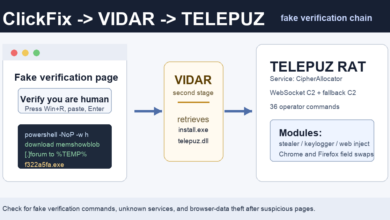
The important detail is not a software exploit. Group-IB reported on July 16, 2026 that the recovered script appears built for a ClickFix-style flow: a fake verification page tells the user to paste a command into Terminal. The exact landing pages and traffic sources were not confirmed in the report, but the script itself displays a fake “CLOUDFLARE CAPTCHA ACCESS CONTROL” banner and a progress animation that says it is verifying the user.
What Makes ClickLock Different
Many ClickFix attacks stop at tricking the user into running a command. ClickLock adds a coercion step. If the victim cancels the first password request, the script can add LaunchAgents named com.authirity.plist and com.chromer.plist. On the next login, it repeatedly kills visible apps such as Finder, Dock, Terminal, Activity Monitor, System Settings, Spotlight, and browsers while leaving a password dialog on screen.
Group-IB says one loop can run every 210 milliseconds for about 83 hours. A second loop can keep trying to obtain Chrome’s Safe Storage key for far longer. That key matters because it can help decrypt stolen Chromium passwords and cookies offline after the browser databases have already been copied.
Quick Check for Mac Users
- Do not paste a command into Terminal to pass a CAPTCHA, Cloudflare check, video player check, file viewer, or browser verification page.
- If a page asks for Terminal, close it. Real human-verification checks run inside the browser.
- If a Mac starts closing apps and showing a password prompt after a suspicious command, do not type the password. Power it off and restart in Safe Mode before investigating.
- Check
~/Library/LaunchAgents/for unfamiliar entries, especiallycom.authirity.plistandcom.chromer.plist. - Look for a suspicious
SystemUIServerlprocess or files under~/Library/Application Support/iCloudsync. The name is close to Apple’s realSystemUIServer, but with an extra letter at the end.
What Data Is at Risk
According to Group-IB, ClickLock targets eight browsers, dozens of crypto wallet browser extensions, password-manager extension data, desktop wallet files, cached crypto addresses across several chains, macOS Keychain data, shell histories, FileZilla saved server details, and basic system information. The attack chain also uses Telegram infrastructure for stolen data and a GSocket-based backdoor component, which means a machine may still have remote-access risk even after the visible password loop ends.
The recovered payload references compromised or abused infrastructure including panalobet[.]ph, store.grafsynergy[.]com, api.telegram[.]org, and gsnc[.]eu:67. Do not visit those domains while checking a personal Mac; use endpoint logs, DNS history, or a security tool instead.
How This Fits Recent Fake CAPTCHA Attacks
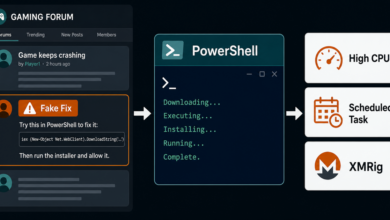
ClickLock is part of the same broad social-engineering pattern behind recent fake Google and Cloudflare verification pages and earlier fake Cloudflare CAPTCHA prompts on hijacked sites. The Mac angle is also close to the recent fake DynamicLake ad that pushed Terminal commands: the page tries to move the dangerous step onto the user’s own keyboard.
If you already pasted a command and entered your Mac password, assume browser sessions and saved credentials are exposed. Disconnect from the network, remove suspicious LaunchAgents and persistence files from Safe Mode or a trusted recovery environment, rotate passwords from a clean device, revoke active sessions for email, Apple ID, Google, banking, crypto, and work accounts, and review the broader PUP cleanup basics before signing back in.
Takeaway
A CAPTCHA should never ask for Terminal, PowerShell, Run, or a pasted command. ClickLock is a reminder that the page does not need to exploit macOS if it can convince the user to run the installer and then pressure them into typing the password.
Sources