A sponsored post on X recently promoted what looked like DynamicLake, a real macOS utility for adding a Dynamic Island-style notch feature to MacBooks. The warning sign was what happened after the click: the ad led to a lookalike site at dynamicmacisland[.]com and asked visitors to open Terminal and paste installation commands.
That is the key user-safety lesson. A paid ad, a familiar account, or a verified badge does not make a download safe. If a Mac app installer asks you to paste a command into Terminal before you can try the software, treat the page as suspicious and stop.
What Happened
Malwarebytes reported on July 3 that researchers found a ClickFix-style Mac attack running as a sponsored advertisement on X. The ad impersonated DynamicLake and appeared under a verified account, which made the lure look more credible than a random post.
According to Malwarebytes and a 9to5Mac write-up citing Jamf Threat Labs, clicks from the ad redirected to dynamicmacisland[.]com, a domain not connected to the legitimate DynamicLake project. The fake page then instructed users to run Terminal commands that installed malware instead of a normal signed Mac app.
Why This Is Different From a Normal Fake Download
This campaign combines three trust signals that many people still rely on: a sponsored placement, a verified social account, and a polished app-themed landing page. The installer step then switches to a ClickFix pattern, where the page tells the user to copy or paste commands manually.
9to5Mac said Jamf identified the payload as a recent Atomic Stealer variant tracked as MacSync, with DigitStealer also seen in related DynamicLake impersonation activity. For a home user, that means the risk is not only an unwanted app. Infostealers commonly target browser data, crypto wallets, keychain items, cookies, and other account material that can be reused after the initial infection.
Quick Check For Mac Users
- Only download DynamicLake from
dynamiclake.com, not lookalike domains or ad redirects. - Be suspicious of any app page that tells you to open Terminal and paste a command as the main install step.
- If you already ran commands from
dynamicmacisland[.]com, disconnect the Mac from sensitive accounts, run a trusted malware scan, rotate important passwords from a clean device, and review browser extensions, saved passwords, and crypto-wallet activity. - If a download came from a social ad, search for the vendor manually and compare the domain before installing.
Related Cleanup Advice
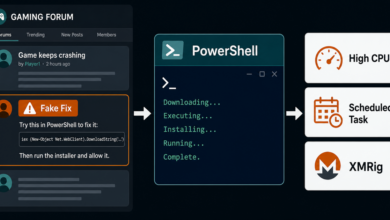
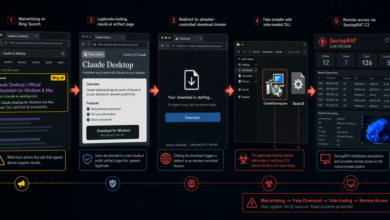
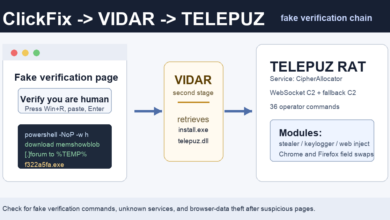
This is the same broader pattern seen in recent fake verification and fake installer campaigns: the victim is asked to complete the infection step by trusting instructions on the page. Recent examples include fake Google and Cloudflare checks pushing stealers, macOS malvertising that delivered FlutterShell, and fake download sites that hijacked clicks through TDS redirects.
If the machine started showing pop-ups, redirects, unfamiliar extensions, or new login prompts after a suspicious install, review the PUP removal basics and remove anything you do not recognize before signing back into important accounts.
Related update: ClickLock shows a newer Mac-focused version of the same copy-paste risk, using fake CAPTCHA messaging and password pressure instead of a sponsored app lure. See the ClickLock Mac stealer report.