Quick answer
What to do about Loaris Trojan Remover Review 2026 – Pros, Cons and Safety
Short answer: Loaris Trojan Remover Review 2026 – Pros, Cons and Safety is usually a browser pop-up, redirect, or notification-permission problem rather than a normal system message.
Start here: close the tab, do not press Allow, remove the site from browser notifications, and check recent extensions if it returns.
Need browser steps? Use our browser notification scam removal guide for Chrome, Edge, Firefox, Safari, and Android.
What this review independently verified
We checked the current Loaris user guide before this update. It documents Standard, Full, Custom and Removable scans and offers quarantine, delete, ignore and false-positive reporting actions. Those controls support the limited conclusion that Loaris is designed as a review-before-removal Windows cleanup tool.
We did not run a controlled detection-rate comparison, and the vendor’s own malware-count claims are not treated here as independent evidence. On a work PC or a system with custom software, quarantine uncertain detections and confirm that Windows and important applications still work before permanent deletion.
Source checked: Loaris virus scan documentation.
Review verdict
Loaris Trojan Remover review verdict for 2026
Short answer: Loaris Trojan Remover is a Windows cleanup tool for adware, trojans, spyware, browser hijackers, potentially unwanted applications and suspicious leftovers.
Best use case: use it when the problem is practical cleanup: pop-ups, redirects, fake warnings, unknown startup entries, unwanted extensions or browser changes that keep coming back.
Important limitation: Loaris is not a full cross-platform security suite. Treat it as a specialized remover and review detections before deleting anything permanently.
- Good fit: adware cleanup, hijacker repair, trojan/PUP scans, Windows repair utilities.
- Weak fit: users who need public lab-test depth, VPN, identity monitoring, password manager or family-device coverage.
- Safety note: download only from the official Loaris site and quarantine uncertain items before permanent removal.
The official site positions Loaris around adware, malware, spyware and hijacker removal.
User guideScan modes
The official guide explains scan workflow and the main dashboard approach.
DocumentationRepair workflow
Loaris documentation describes the tool as a specialized scanner and remover.
What I like
Loaris is direct. It does not try to become a VPN, password manager and identity bundle. It stays close to scan, review, clean and repair.
What to watch
Because it is a cleanup tool, scan results still need judgment. Quarantine uncertain detections first, especially on work PCs or machines with custom software.
Loaris Trojan Remover is a Windows malware cleanup tool aimed at the stubborn side of home-PC security: adware, trojans, spyware, browser hijackers, potentially unwanted applications and suspicious leftovers that a general antivirus may not always treat as urgent.
That positioning matters. Most Adware Guru readers do not look for a Trojan remover because everything is calm. They arrive after pop-ups, redirects, fake warnings, unknown programs, high CPU usage or browser changes that refuse to stay fixed. Loaris is built for that kind of practical cleanup work.
What changed in this review
The old article leaned heavily on a 2020 malware-sample test and dated screenshots. That kind of test is interesting, but it is not enough for a current buying decision. A modern review should focus on workflow: what the tool scans, how it explains detections, what happens during cleanup, how reversible the actions are and what limitations remain.
Loaris now presents itself more clearly as a specialized remover for adware, hijackers, trojans and PUAs. The official site also states that the product works alongside existing antivirus software and supports Windows versions up to Windows 11. The scan guide lists Standard, Full, Custom and Removable scans, plus actions such as ignore, delete, quarantine and false-positive reporting.
Pros and cons
Pros
- Focused on adware, browser hijackers, trojans, spyware and unwanted applications.
- Simple scan paths: Standard, Full, Custom and Removable Scan.
- Useful repair tools for browser settings, Windows Update policies and the hosts file.
- Quarantine option gives a safer first step than permanent deletion.
- Works as a second-opinion cleaner beside a regular antivirus.
- Pricing is easier to understand than many bloated security suites.
Cons
- Windows-focused; not a cross-platform security ecosystem.
- Not a full suite with VPN, password manager, backup or identity monitoring.
- Public independent lab coverage is limited compared with the largest antivirus vendors.
- Some vendor claims should be treated as marketing until verified on your own machine.
- Ignoring detections or marking false positives requires care and technical judgment.
Interface and daily workflow
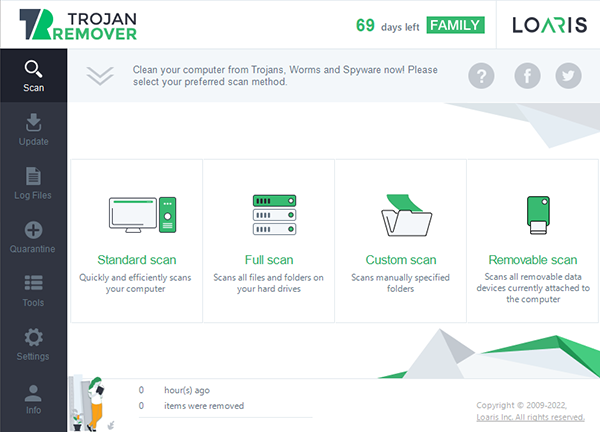
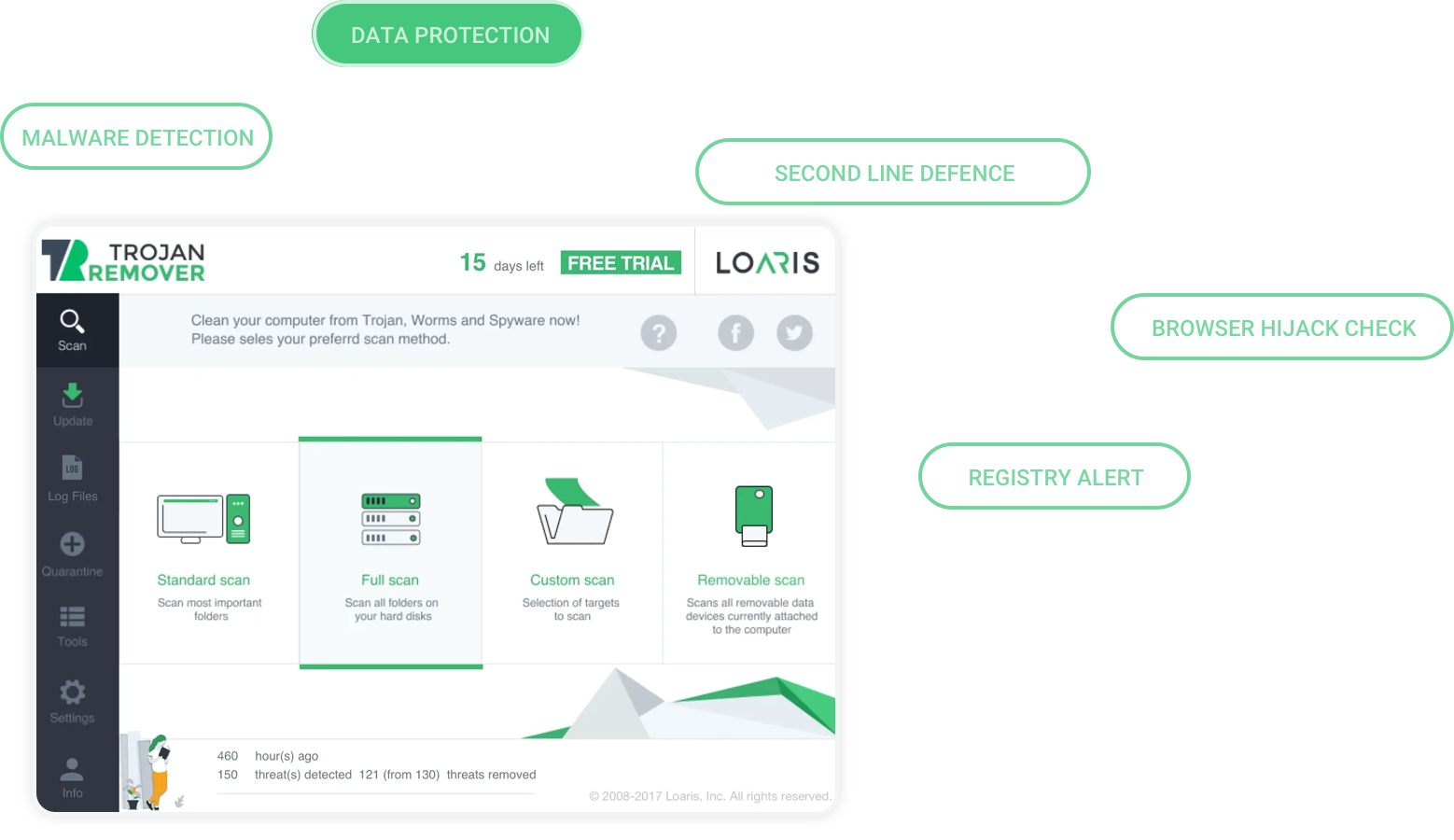
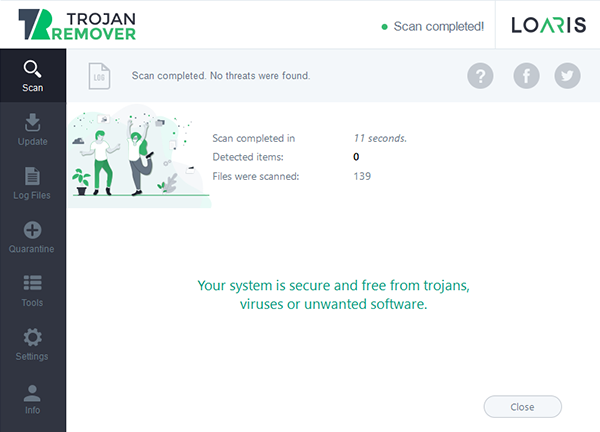
The best thing about Loaris is that it does not try to turn cleanup into a maze. The interface is built around the obvious sequence: start a scan, watch progress, inspect detections and apply actions. Extra tools are available, but they do not hide the basic cleanup path.
That is good design for the kind of user who is already stressed by a browser hijacker or fake warning loop. A cleanup tool should not make the user guess where the scan button is. Loaris is not beautiful in the modern app-store sense, but it is direct, and direct is often better in removal software.
Scan modes
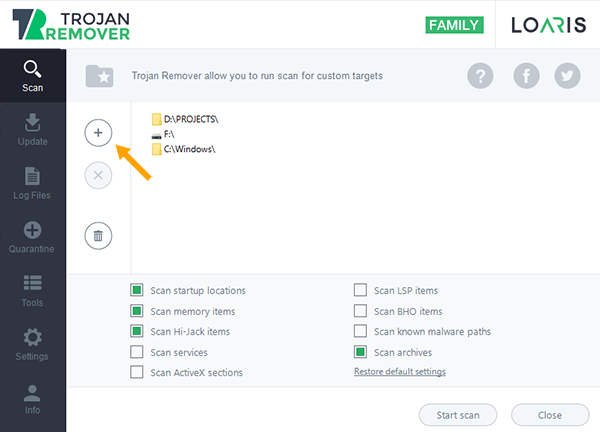
Loaris offers four practical scan types. Standard Scan is the default everyday check for common malware locations. Full System Scan is the deeper pass when symptoms are persistent or the machine has not been checked in a while. Custom Scan is for a suspicious folder, downloaded archive, shared location or installer. Removable Scan is for USB drives and external media.
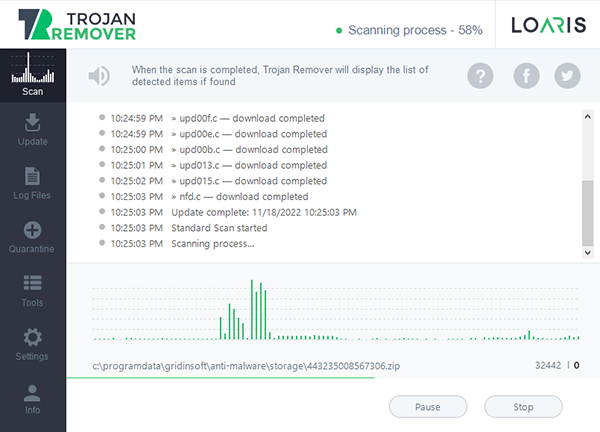
For most users, Standard Scan is the right starting point. Use Full Scan after obvious infection symptoms, unexpected browser changes, repeated pop-ups or suspicious CPU usage. Use Custom Scan when the question is narrow: “is this download safe?” or “did this USB drive bring something with it?”
Scan results and cleanup actions
Loaris scan results can lead to several actions: ignore, delete, move to quarantine or mark as false positive. This is where users need to slow down. A cleanup tool is most useful when it gives control, but control also creates room for mistakes.
The safest default is quarantine. Quarantine stores suspicious files in a way that prevents them from running, while still allowing the user to restore them later if the detection was wrong. Delete is appropriate when the item is clearly malicious or no longer needed. Ignore and false-positive actions should be used only when you have a good reason.
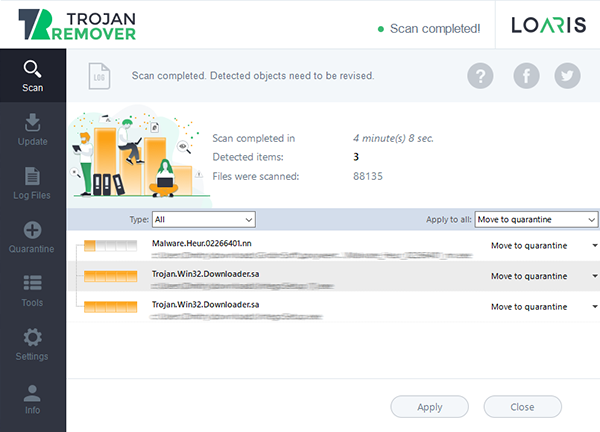
I would be especially careful with detections inside driver folders, business software folders, game mods and vendor utilities. Those may be malicious, but they may also be noisy or packed files. When unsure, quarantine first, reboot, see whether Windows and your applications behave normally, and only then decide whether to remove permanently.
Adware, hijackers and unwanted applications
Loaris is most interesting for adware and browser hijacker cases. Traditional antivirus products are sometimes cautious around unwanted applications because the line between “malware” and “aggressive but legally distributed software” can be messy. That is exactly where users still need help: fake optimizers, driver updaters, bundled installers, search hijackers and programs that keep showing scary warnings.
For pop-up notification scams, remember that a scanner is only one part of cleanup. You may also need to remove browser notification permissions, disable unwanted extensions and reset changed browser settings. If notifications keep returning after browser cleanup, then a Windows scan becomes more important because something may be reopening the redirect chain.
Repair tools
The repair tools are a useful part of Loaris. Malware and PUPs often change more than files: they alter browser settings, write into startup locations, edit the hosts file or interfere with Windows Update. Loaris includes tools for resetting browser settings, Windows Update policies and the Windows hosts file.
Use these tools after you understand what changed. Resetting browser settings can remove hijacker traces, but it may also remove custom search settings or extension behavior you wanted. That tradeoff is usually worth it on an infected PC, but it should not be done blindly on a work machine without knowing what will change.
Pricing and licensing
The current Loaris pricing page lists annual plans such as Single for one home PC, Family for two home PCs and Corporate for one business PC, with a Multi option for six or more PCs. It also mentions a 30-day money-back guarantee. Prices and offers can change, so check the official checkout page before buying.
My practical advice is the same as with any cleanup utility: test the trial or download path first, run a scan, inspect what it finds and decide whether the removal workflow fits your situation. Do not buy a larger plan until you know you actually need the extra device coverage.
Download Loaris Trojan Remover
Where Loaris fits best
Loaris Trojan Remover makes the most sense as a focused cleanup and second-opinion tool. It is a good fit when a PC shows adware symptoms, browser hijacks, suspicious startup behavior, fake system warnings, unwanted programs or potentially unwanted applications bundled with free downloads.
It is not the best fit if you want one product to cover every security need. It does not replace backups, account protection, a password manager, safe browsing habits, Windows updates or a full security suite where that is required. It also should not be treated as guaranteed ransomware recovery. Removing malware is different from decrypting damaged files.
Final verdict
Loaris Trojan Remover is useful when treated as a specialized Windows cleanup tool. It is direct, it has understandable scan modes, it includes quarantine, and its repair tools fit the kinds of browser and system changes that adware often causes. For Adware Guru readers, that is a real use case.
The limits are also real. It is niche, Windows-focused and not backed by the same level of public lab visibility as the biggest antivirus names. Some results require judgment, and users should avoid deleting everything automatically. My recommendation is to use it carefully: scan, quarantine uncertain items, verify the system, then remove what is clearly unwanted.
Frequently asked questions
Is Loaris Trojan Remover free?
Loaris offers a download/trial path, but full unrestricted cleanup and ongoing use depend on licensing. Check the official pricing page before buying because plans and offers can change.
Can I use it with another antivirus?
Yes, Loaris positions the product as a tool that can work beside an existing antivirus. To avoid slowdowns, do not run several deep scans at the same time.
Should I delete or quarantine detections?
Quarantine first when you are unsure. Delete only when you know the item is malicious or no longer needed. Ignore should be used only for trusted files.
Does Loaris help with browser hijackers?
Yes, this is one of the more practical use cases. Still, browser hijacker cleanup may also require removing notification permissions and suspicious extensions. Our browser notification scam removal guide covers those manual steps.
Can it recover encrypted ransomware files?
No removal tool should be treated as guaranteed ransomware recovery. Loaris can help remove malicious components, but encrypted files usually require backups, a family-specific decryptor or professional recovery help.
Summary
A focused Windows cleanup tool for adware, browser hijackers, trojans and unwanted applications. Useful as a second-opinion remover, but not a full security suite.