Fapni.com Dating Scam – Is It Safe and How to Block Redirects

Quick answer
What to do about Fapni.com
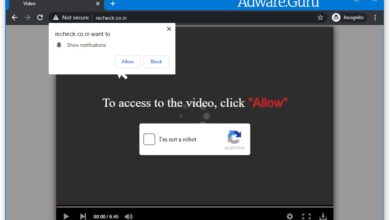
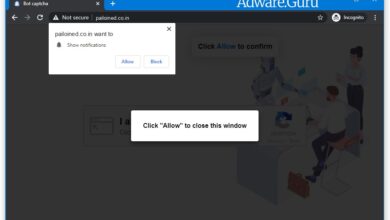
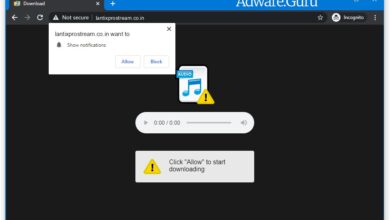
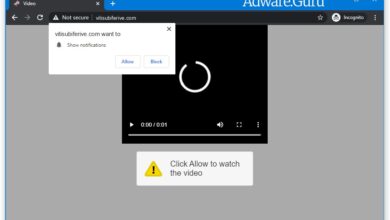
Short answer: Fapni.com is usually a browser pop-up, redirect, or notification-permission problem rather than a normal system message.
Start here: close the tab, do not press Allow, remove the site from browser notifications, and check recent extensions if it returns.
Need browser steps? Use our browser notification scam removal guide for Chrome, Edge, Firefox, Safari, and Android.
Quick verdict, updated May 2026: Fapni.com should be treated as an untrusted adult dating redirect, not as a normal dating site. A public reputation report flagged the domain as suspicious, and the site has been observed forwarding visitors to another adult dating domain.
If Fapni.com opened after an ad click, a pop-up, or a redirect chain, close the tab. Do not create an account, do not enter payment details, and do not allow browser notifications. The safest next step is to block the site and check whether the browser has been given unwanted notification permissions.
Why this page is different from a normal pop-up guide: Fapni.com is mainly a dating/redirect risk. It may still appear through adware or aggressive advertising, but the first concern is avoiding sign-ups, card forms, and repeated redirects.
Related guide: If you clicked Allow on any prompt during the redirect, use our browser notification scam removal guide to remove the permission from Chrome, Edge, Firefox, Safari, or Android.
What is Fapni.com?
Fapni.com is a recently registered adult-themed site that presents itself as a dating or hookup page. In the reputation data available at the time of writing, the domain was young, had limited independent trust history, and redirected visitors to risquebelle8.com.
Gridinsoft’s public URL report for Fapni.com lists a low trust score, adult content signals, a redirect to another domain, and a warning from Scamadviser. Most major malware and phishing engines in that report did not mark it as malware, so the accurate verdict is suspicious and high-risk, not confirmed malware.
That distinction matters. A site can be risky even when it is not distributing a virus. Dating redirect pages may still expose visitors to misleading sign-up flows, recurring payment traps, privacy risks, or additional advertising redirects.
Why did Fapni.com open in my browser?
Fapni.com usually appears after one of these events:
- You clicked an adult ad, fake video player, or misleading download button.
- A streaming, file-sharing, or adult site sent the browser through an advertising redirect chain.
- A browser extension or adware component injected redirects into pages you visit.
- You previously allowed notifications on a related site and clicked one of its ads.
If it happened once, closing the tab may be enough. If Fapni.com or Risquebelle8.com keeps reopening on unrelated sites, check extensions, notification permissions, and recently installed software.
Is Fapni.com safe?
No. Treat Fapni.com as unsafe unless you can independently verify the service, the operator, and the payment terms. The current public signals point to a new adult dating redirect with weak reputation history. That is not enough trust for account creation, personal photos, card details, or app downloads.
Be especially careful if the site asks for:
- Credit card details for “age verification” or a free trial.
- Email, phone number, or social login before showing real content.
- Browser notification permission.
- Downloads, browser extensions, or “verification” apps.
What to do if you visited Fapni.com
- Close the tab. Do not continue through the dating questionnaire or payment forms.
- Block notifications. Open your browser notification settings and remove Fapni.com, Risquebelle8.com, or any unfamiliar adult/redirect domains.
- Clear site data. Remove cookies and stored data for suspicious domains involved in the redirect.
- Review extensions. Disable browser extensions you do not recognize, especially coupon, search, video, download, or adult-content helpers.
- Scan the device. If redirects continue, scan for adware and potentially unwanted programs.
For another example of a redirect/ad-delivery domain that is not always malware by itself, see our Api.Taboola.com redirect guide. For more browser hijacker and redirect cleanup pages, use the browser hijackers removal category.
Remove Fapni.com notifications from Chrome, Edge, Firefox, and Android
If you clicked Allow, remove the permission first. This is more important than uninstalling random apps, because browser notifications can continue even after the original Fapni.com tab is closed.
Google Chrome and Microsoft Edge
- Open Settings.
- Go to Privacy and security and then Site settings.
- Open Notifications.
- Remove or block Fapni.com, Risquebelle8.com, and any unfamiliar sites in the allowed list.
Mozilla Firefox
- Open Settings.
- Go to Privacy & Security.
- Find Permissions and click Settings next to Notifications.
- Block or remove suspicious domains, then save changes.
Android
- Open the browser app that showed the alerts.
- Go to site settings or notification settings.
- Disable notifications from Fapni.com, Risquebelle8.com, and other unfamiliar sites.
- If redirects continue, check recently installed apps and remove anything suspicious.
How to avoid Fapni.com and similar dating redirect scams
- Do not trust adult dating pages that ask for a card before showing clear company details.
- Avoid “age verification” forms that require payment information.
- Do not allow notifications on pages that promise adult video access, quick downloads, or account verification.
- Use a reputable ad blocker to reduce malicious advertising redirects.
- Keep your browser and security tools updated.
Bottom line: Fapni.com is best handled as a suspicious adult dating redirect. Avoid sign-ups and payments, remove any notification permission, and scan the browser if the redirect keeps returning.